
Resize Image to 3.5 × 4.5 CM Online Free, 35 × 45 mm Photo Resizer
Create an exact 35 × 45 mm photo at 300 DPI. Upload, crop, preview, and download privately in your browser.
Upload your image
Drag and drop or click to browse
Choose ImageFixed Photo Size
Resize Method
Getting the correct photo dimensions is important when applying for passports, visas, government jobs, college admissions, or identity cards. Resize Image to 3.5 × 4.5 CM helps you create an accurately sized photo without editing software or complicated settings.
This online tool automatically converts your image to 35 × 45 mm, calculates the correct pixel dimensions based on your selected DPI, and keeps the proper 7:9 aspect ratio. Whether you need a JPG, PNG, or WebP file, you can prepare a high-quality image directly in your browser while keeping your photos private.
The guide below explains everything about this photo size, including pixel dimensions, printing resolution, common uses, and tips for getting the best results.
What Is a 3.5 × 4.5 CM Photo?
A 3.5 × 4.5 cm photo is a standard portrait image measuring 35 × 45 millimetres. It is commonly required for official documents because it provides enough space for clear facial visibility while keeping the overall file size manageable.
Although the physical dimensions stay the same, the pixel size changes depending on the selected printing resolution. At 300 DPI, which is the recommended standard for professional printing, the image measures 413 × 531 pixels.
This size is also equal to:
- 35 × 45 mm
- 1.38 × 1.77 inches
- 413 × 531 pixels at 300 DPI
- Portrait orientation
- 7:9 aspect ratio
Using the correct dimensions helps prevent stretched photos, incorrect proportions, and printing issues that may lead to application rejection.
Where Is a 3.5 × 4.5 CM Photo Used?
Many organisations ask applicants to upload or print photos with exact measurements. Using the correct size saves time and reduces the chance of your application being rejected.
Passport and Visa Applications
Many countries require photographs close to 35 × 45 mm for passport renewals, visa applications, and immigration documents. Always check the official photo guidelines before submitting your application.
Government Job Forms
Several online recruitment portals request photographs with fixed dimensions.
Common examples include:
- SSC examinations
- UPSC applications
- Railway recruitment
- Banking exams
- Police recruitment
- State government vacancies
College and University Admissions
Educational institutions often ask students to upload photographs during admission, scholarship, hostel, and examination registration processes. A properly resized image ensures smooth online submission.
Professional Licences and Identity Cards
Professional organisations and licensing authorities may require correctly sized photographs for:
- Employee ID cards
- Professional certificates
- Membership cards
- Training registrations
- Official identification records
Online Registration Portals
Many digital portals automatically reject images that exceed the allowed dimensions or use an incorrect aspect ratio. Resizing your photo before uploading helps avoid unnecessary errors during submission.
3.5 × 4.5 CM in Pixels at Different DPI
The physical size of a photo always remains 3.5 × 4.5 cm, but its pixel dimensions change with the selected DPI. A higher DPI produces more pixels, making the image sharper and better suited for printing. Lower DPI values are commonly used for digital viewing, where smaller file sizes are preferred.
If you plan to print your photo, 300 DPI is the recommended choice because it delivers clear details and professional print quality.
3.5 × 4.5 CM in Pixels at 300 DPI
At 300 DPI, a 3.5 × 4.5 cm photo measures:
- 413 × 531 pixels
- Best for passport photos
- Ideal for visa applications
- Recommended for government documents
- Suitable for professional printing
Most official organisations prefer this resolution because it produces sharp facial details without visible pixelation.
3.5 × 4.5 CM in Pixels at 200 DPI
At 200 DPI, the dimensions become:
- 276 × 354 pixels
This resolution works for basic document printing where very high image quality is not required. It also creates a smaller file than 300 DPI.
3.5 × 4.5 CM in Pixels at 150 DPI
At 150 DPI, the image measures:
- 207 × 266 pixels
This setting is suitable for draft prints, previews, and some online uploads. It should not be used when high-quality printed photographs are required.
3.5 × 4.5 CM in Pixels at 96 DPI
At 96 DPI, the dimensions are:
- 132 × 170 pixels
This resolution is mainly intended for screen display and web graphics. It is generally too low for printing official photographs.
Which DPI Should You Choose?
Choosing the correct DPI depends on how the image will be used.
| Purpose | Recommended DPI |
|---|---|
| Passport and visa photos | 300 DPI |
| Government application forms | 300 DPI |
| Professional photo printing | 300 DPI |
| General document printing | 200 DPI |
| Digital viewing only | 96 DPI |
A higher DPI increases image quality but also creates a larger file size. If a website has upload limits, you can resize the photo first and then compress it without changing its physical dimensions.
3.5 × 4.5 CM to Other Measurements
People often need the same photo size in different measurement units. Knowing these equivalents makes it easier to prepare images for printers, online forms, and editing software.
35 × 45 mm
This is the most common way official authorities specify the size. Since 1 centimetre equals 10 millimetres, a 3.5 × 4.5 cm photo is exactly:
- 35 mm width
- 45 mm height
Both measurements describe the same physical photo size.
1.38 × 1.77 Inches
Some image editors and printers use inches instead of centimetres.
The equivalent size is:
- 1.38 inches wide
- 1.77 inches high
Selecting these measurements produces the same printed photo.
Width and Height Explained
The standard portrait orientation uses:
- Width: 3.5 cm
- Height: 4.5 cm
Keeping these proportions prevents stretching and maintains the correct facial appearance.
Portrait vs Landscape Size
Most passport and identification photos use a portrait orientation, where the height is greater than the width.
Some forms may request 4.5 × 3.5 cm instead. This is the same physical size, rotated horizontally instead of vertically. Always check the instructions before submitting your image.
Resize an Image to 3.5 × 4.5 CM Online
Creating a correctly sized photo does not require advanced editing software. You only need to upload your image, adjust the crop, and download the finished file in the required dimensions.
The tool automatically keeps the correct aspect ratio, converts the dimensions to the selected DPI, and prepares the image for printing or digital submission.
Upload Your Photo
Start by selecting a clear image from your device.

For the best results:
- Use a high-resolution photo.
- Make sure the face is clearly visible.
- Avoid blurry or heavily compressed images.
- Keep the subject centred as much as possible.
The tool supports:
- JPG
- PNG
- WebP
Your image is processed directly inside your browser, so it never leaves your device.
Adjust the Crop Area
After uploading, position your photo inside the crop frame.
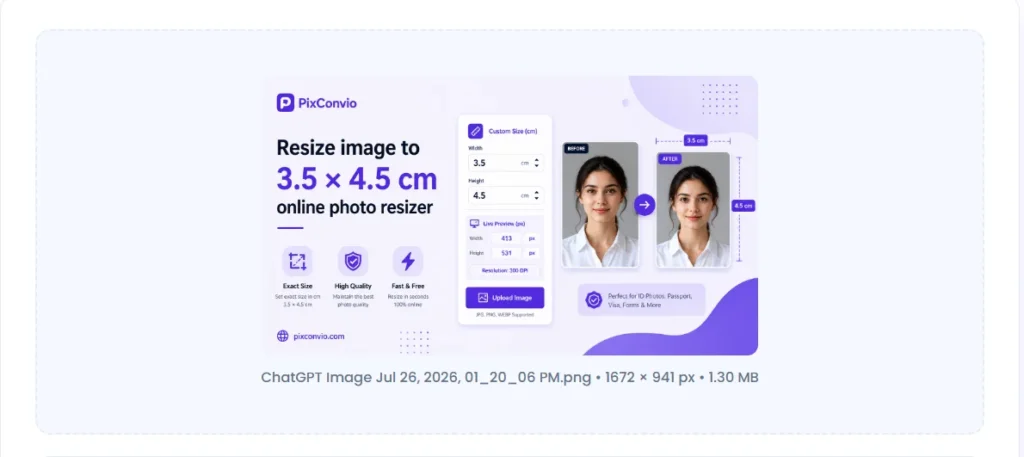
You can easily:
- Drag the image.
- Zoom in or out.
- Rotate the photo.
- Flip the image if needed.
- Reset the crop anytime.
The locked 7:9 aspect ratio ensures the final output always matches the required dimensions without stretching the image.
Choose Image Quality and Format
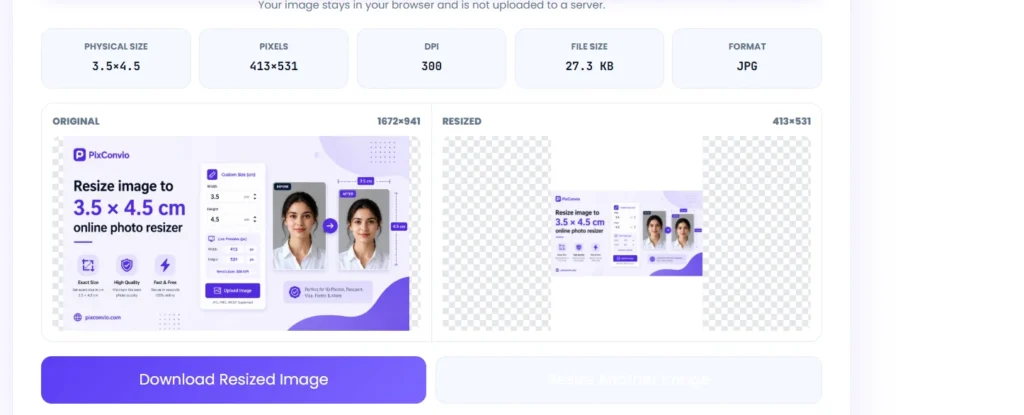
If needed, you can customise the exported image before downloading.
Available options include:
- JPG
- PNG
- WebP
You can also:
- Select the preferred DPI.
- Adjust image quality.
- Choose a background colour for transparent images.
These settings help balance image quality and file size according to your submission requirements.
Download the Final Image
Once everything looks correct, generate the resized image.
The downloaded photo will include:
- Exact 3.5 × 4.5 cm dimensions.
- Correct pixel resolution.
- Selected DPI.
- High-quality output.
- Ready-to-use file format.
The image can be uploaded immediately to online forms or printed without further editing.
Features of This Resize Image to 3.5 × 4.5 CM Tool
This tool is designed to make photo resizing fast, accurate, and simple for everyday users.
Key features include:
- Exact 3.5 × 4.5 cm output.
- Automatic 35 × 45 mm conversion.
- Live pixel calculation based on DPI.
- Locked 7:9 aspect ratio.
- Smooth crop and zoom controls.
- High-quality image scaling.
- JPG, PNG, and WebP support.
- Browser-based processing.
- No registration required.
- No watermark added.
- Mobile and desktop compatible.
- Instant download after resizing.
Resize 3.5 × 4.5 CM Photos Without Losing Quality
A resized image looks best when the original photo contains enough detail. Following a few simple practices helps preserve sharpness during resizing.
Start With a High Resolution Image
A larger source image contains more pixels, allowing smoother resizing and better print quality.
If possible, avoid screenshots or images downloaded from social media because they are often compressed.
Choose the Correct DPI
For printed documents, 300 DPI delivers the sharpest results.
Lower DPI values create smaller files but may reduce print clarity.
Avoid Stretching the Image
Changing width and height independently can distort facial proportions.
Using a locked aspect ratio keeps the image natural while maintaining the correct dimensions.
Keep the Face Properly Centered
Position the face comfortably inside the crop frame before downloading.
This leaves balanced space around the head and reduces the chance of the photo being rejected during verification.
Save in the Right Format
Different situations require different file formats.
- JPG offers a good balance between quality and file size.
- PNG is useful when maximum image quality is preferred.
- WebP creates smaller files while maintaining excellent visual quality for digital use.
Recommended Settings for a 3.5 × 4.5 CM Photo
Using the correct settings helps produce a photo that meets common printing and online submission requirements. The values below are suitable for most passport photos, visa applications, recruitment forms, and official documents.
| Setting | Recommended Value |
|---|---|
| Physical Size | 3.5 × 4.5 cm |
| Millimetres | 35 × 45 mm |
| Pixels at 300 DPI | 413 × 531 px |
| Aspect Ratio | 7:9 |
| Orientation | Portrait |
| Recommended DPI | 300 DPI |
| Best Format | JPG |
| Print Quality | High |
If the organisation provides different specifications, follow those instructions instead of the default settings.
Common Mistakes When Resizing a 3.5 × 4.5 CM Photo
Many rejected photos are caused by incorrect sizing or poor image quality. Avoiding these common mistakes improves the chances of your photo being accepted.
Using the Wrong Aspect Ratio
Changing only the width or height can stretch the image and make the face appear unnatural.
Always keep the correct 7:9 aspect ratio when resizing.
Choosing Low DPI
A low-resolution image may look acceptable on a screen but appear blurry when printed.
For most official purposes, 300 DPI provides the best balance between detail and print quality.
Cropping Too Close to the Face
Leaving very little space around the head can cause problems during verification.
Keep the face centred and allow enough space around the top and sides.
Uploading Blurry Images
Resizing cannot restore missing details from a low-quality image.
For better results:
- Use a sharp original photo.
- Ensure good lighting.
- Avoid motion blur.
- Keep the camera focused.
Saving With Heavy Compression
Very low-quality compression can introduce visible artifacts and reduce image clarity.
If your application has a file size limit, resize the image first and then compress it carefully while preserving important details.
3.5 × 4.5 CM vs Other Popular Photo Sizes
Many people confuse similar photo dimensions. Understanding the differences helps you choose the correct size for your application.
3.5 × 4.5 CM vs 4.5 × 3.5 CM
These two sizes contain the same measurements but use different orientations.
| 3.5 × 4.5 CM | 4.5 × 3.5 CM |
|---|---|
| Portrait | Landscape |
| Height is larger | Width is larger |
| Used for most ID photos | Used when specifically requested |
Always check whether the application requires portrait or landscape orientation.
3.5 × 4.5 CM vs Passport Size Photo
The term passport size photo is not always the same worldwide.
Different countries may require:
- 35 × 45 mm
- 2 × 2 inches
- 50 × 50 mm
- Other official dimensions
Always verify the required size before preparing your photo.
3 × 4 CM vs 3.5 × 4.5 CM
A 3 × 4 cm photo is both narrower and shorter.
Key differences include:
- Smaller print area.
- Different aspect ratio.
- Different pixel dimensions.
- Not interchangeable for official submissions.
2 × 2 Inch Photo vs 3.5 × 4.5 CM
A 2 × 2 inch photo measures approximately 51 × 51 mm, making it significantly larger than 35 × 45 mm.
Many countries use 2 × 2 inch photos, while others require 3.5 × 4.5 cm, so the correct specification depends on the issuing authority.
Convert a Photo to 3.5 × 4.5 CM in Seconds
Preparing an accurately sized image should not take more than a few minutes.
The tool automatically:
- Converts your image to the correct dimensions.
- Calculates the required pixel size.
- Maintains the proper aspect ratio.
- Supports multiple image formats.
- Preserves image quality during resizing.
- Generates a photo ready for printing or online submission.
Whether your original image comes from a mobile phone, DSLR camera, or computer, it can be converted into the required dimensions with only a few adjustments.
Image Formats Supported
Choosing the right output format depends on where the image will be used.
JPG
JPG is the most widely accepted format for online applications and printing.
It offers:
- Small file sizes.
- Fast uploads.
- Excellent compatibility.
- Good image quality.
PNG
PNG preserves more image information because it uses lossless compression.
It is useful when:
- Maximum quality is preferred.
- Further editing may be required.
- Transparent backgrounds need to be preserved.
WebP
WebP combines efficient compression with good visual quality.
It is suitable for:
- Websites.
- Digital storage.
- Online sharing.
- Smaller file sizes.
Which Format Is Best for Printing?
For most passport photos and official documents, JPG at 300 DPI provides an excellent balance between print quality, compatibility, and manageable file size.
Is This Resize Image to 3.5 × 4.5 CM Tool Safe?
Your privacy is important when uploading personal photographs. This tool processes images directly in your browser, helping keep your files under your control.
Key privacy benefits include:
- Images stay on your device during processing.
- No account creation is required.
- No watermark is added to downloaded photos.
- Supports unlimited resizing.
- Works on Windows, macOS, Android, iPhone, and tablets.
- Compatible with modern browsers, including Chrome, Edge, Firefox, and Safari.
Since your image is processed locally, you can resize photos without sharing them with external servers.
Frequently Asked Questions
How many pixels are 3.5 × 4.5 cm at 300 DPI?
At 300 DPI, the dimensions are 413 × 531 pixels. This resolution is widely recommended for professional printing and official documents.
What is 3.5 × 4.5 cm in inches?
It is approximately 1.38 × 1.77 inches.
Is 35 × 45 mm the same as 3.5 × 4.5 cm?
Yes. Since 1 centimetre equals 10 millimetres, 3.5 × 4.5 cm is exactly 35 × 45 mm.
Can I resize a passport photo to 3.5 × 4.5 cm online?
Yes. You can upload your existing photo, adjust the crop, and download it with the required dimensions without installing additional software.
Can I resize a PNG image to 3.5 × 4.5 cm?
Yes. The tool supports PNG, JPG, and WebP, allowing you to export the resized image in your preferred format.
Does resizing reduce image quality?
Not necessarily. Starting with a high-resolution photo and selecting an appropriate DPI helps preserve sharpness after resizing.
Which DPI is best for printing?
For most official photographs, 300 DPI is the preferred choice because it produces clear and detailed prints.
Conclusion
Preparing an official photo becomes much easier when you use the correct dimensions from the beginning. Whether you are applying for a passport, visa, government job, university admission, or professional identification card, using the right measurements helps avoid unnecessary delays.
Resize Image to 3.5 × 4.5 CM gives you an easy way to create a photo with the correct dimensions, pixel resolution, and aspect ratio. Simply upload your image, adjust the crop, choose the appropriate DPI, and download a high-quality photo that is ready for printing or online submission.