
Compress Image to 20KB Online
Reduce JPG, PNG, and WebP images to exactly 20KB while preserving the best possible quality. Instant, free, and 100% browser-based — your files never leave your device.
Drop your image here
or click to browse from your device
Analyzing image…
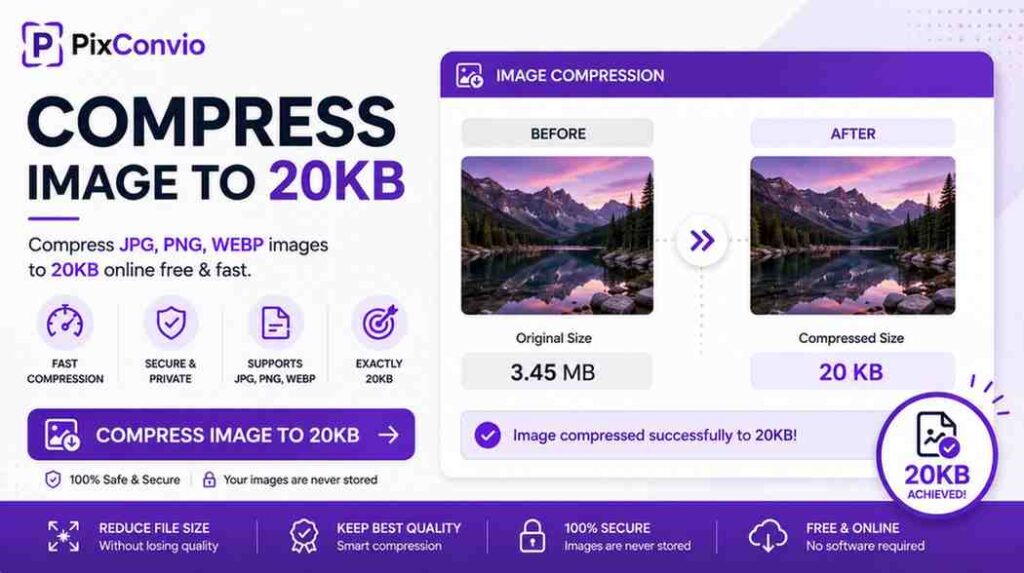
Need to compress an image to 20KB? Whether you’re uploading a passport photo to an SSC portal, compressing a signature for UPSC or IBPS, reducing a product image for a website, or meeting a strict file size limit on a government form — PixConvio makes it instant and automatic. Upload your JPG, PNG, or WebP and the tool targets exactly 20KB using intelligent binary search compression, with no manual settings. Your file never leaves your browser. Free, unlimited, no sign-up.
What Does a 20KB Image Look Like? (Size, Pixels, and Dimensions)
20KB (kilobytes) equals 20,480 bytes — a very small file size that’s standard across Indian government exam portals, banking applications, and recruitment forms. Understanding what 20KB means in pixels helps you choose the right photo dimensions before compressing.
Here’s a practical reference guide for 20KB images:
| Format | Approximate Dimensions | Typical Use |
|---|---|---|
| JPG — plain background | 350×450 to 500×500 px | Passport/ID photo |
| JPG — complex photo | 200×250 to 300×350 px | General photo |
| JPG — signature (white bg) | 800×300 px | Bank/SSC signature |
| PNG — no transparency | 250×300 to 350×400 px | Screenshots, forms |
| PNG — with transparency | 150×200 to 250×300 px | Logo, icon |
These are estimates — the exact pixel dimensions of a 20KB image depend entirely on the content. A plain-background passport photo (white wall, simple face) compresses far more efficiently than a detailed scene, reaching higher dimensions at the same 20KB size.
Our tool always maximises output dimensions — it reduces pixel size only after exhausting quality compression, so you never lose more detail than is absolutely necessary.
How to Compress an Image to 20KB Online — Step by Step
Compressing any photo or image to exactly 20KB with PixConvio takes under 10 seconds:
Step 1 — Upload your image Click the upload zone above or drag and drop your file. Supported formats include JPG, JPEG, PNG, and WebP. Maximum input size is 25MB. You can also paste an image from your clipboard with Ctrl+V / Cmd+V.
Step 2 — Automatic 20KB compression No button to click, no slider to drag. The moment your file loads, our binary search engine begins iterating through quality levels — testing up to 20 passes — to find the exact quality setting that produces a file as close to 20KB as possible. If quality reduction alone isn’t enough, the tool gently scales down pixel dimensions at the highest achievable quality.
Step 3 — Preview and download A side-by-side comparison shows the original vs compressed image with exact file sizes, output dimensions, and space saved. Click Download Image to save your 20KB file instantly.
No account. No watermark. No file stored anywhere. Everything runs inside your browser.
Compress Image to 20KB for Government Exams and Bank Forms
20KB is one of the most common file size limits across Indian government exam portals and recruitment applications. Getting this wrong causes form rejection — a mistake that can cost candidates weeks of re-application time.
Where 20KB limits appear most frequently:
SSC (Staff Selection Commission) SSC CGL, CHSL, MTS, and GD portals require scanned signatures under 20KB at 200×230 pixels in JPG format. Photographs are typically accepted up to 50KB, but some SSC portals enforce a stricter 20KB photo limit.
UPSC (Union Public Service Commission) UPSC Civil Services and other UPSC exams require signatures between 20KB–100KB. The photo requirement is usually between 20KB–300KB. Uploading an oversized file results in an instant portal error.
IBPS, SBI, and Banking Exams IBPS PO, SBI PO, RBI Grade B, and LIC AAO typically require:
- Photo: 20KB–50KB (JPG, white background)
- Signature: 10KB–20KB (JPG, 800×300 pixels)
Railway Exams (RRB NTPC, Group D, ALP) RRB portals require photos in JPG format between 20KB–50KB. Signatures are usually capped at 20KB.
How to compress your photo to 20KB for exam forms:
- Use a recent passport-size photo with a white or light background
- Upload it to the PixConvio 20KB compressor above
- Download the compressed JPG
- Verify the output size matches portal requirements before submitting
For photos requiring a specific pixel dimension alongside the size limit (such as 240×240px or 120×140px), note the output dimensions shown after compression. If you need a different target size, our reduce image size in KB tool lets you enter any custom KB target.
Compress JPEG to 20KB — Best Format for Small File Sizes
JPEG (also written as JPG) is the most efficient format for compressing photos to very small sizes like 20KB. Its lossy compression algorithm removes imperceptible image data — making it ideal for faces, backgrounds, and documents where minor quality loss is invisible but file size reduction is dramatic.
When you upload a JPEG to PixConvio:
- The output stays in JPEG/JPG format — no unnecessary conversion
- Binary search quality optimisation finds the highest quality level that fits within 20KB
- The algorithm runs up to 20 iterations, narrowing in on the exact threshold
- Adaptive scaling is applied only if quality reduction alone can’t reach 20KB
For scanned signatures specifically, JPEG compression at 20KB retains ink stroke clarity even at highly compressed quality levels, because signatures have minimal colour variance — the algorithm preserves the contrast between black ink and white background extremely well.
Compress PNG Images to 20KB
PNG files are significantly larger than JPEGs because they use lossless compression and often contain transparency layers. Compressing a PNG to 20KB requires a smarter approach.
PixConvio automatically handles this in two ways:
PNG with transparency — The file stays as PNG throughout compression to preserve the alpha channel. Quality and dimensions are progressively reduced to reach 20KB.
PNG without transparency — The file is automatically converted to JPEG before compression. This produces dramatically better compression ratios and makes hitting 20KB far more achievable without destroying visible quality. Most screenshots, form photos, and scanned documents fall into this category.
This transparency detection is automatic — you never need to manually choose a format. The right decision is made the moment your file is uploaded.
Compress Image Between 20KB and 50KB
Many Indian government portals — especially banking exams like IBPS PO, SBI Clerk, and RRB NTPC — specify a size range rather than a fixed limit. The most common ranges are:
- 10KB to 20KB — signature uploads for SSC, UPSC
- 20KB to 50KB — photo uploads for banking exams (IBPS, SBI, LIC)
- 20KB to 100KB — higher-quality photo portals, state PSC exams
- 4KB to 20KB — very strict portals for thumbnails and icons
When compressing to a range, the safest strategy is to target the middle of the range — for 20KB to 50KB, aim for 30–35KB. This leaves headroom for portal tolerance and prevents both “file too large” and “file too small” errors.
For targets above 20KB, use our related tools:
- Compress image to 50KB — for IBPS PO, SBI, RRB photo requirements
- Compress image to 100KB — for UPSC, state PSC, high-quality portals
- Reduce image to any KB size — set a precise custom target
- All Images here
How to Reduce Photo Size to 20KB on Mobile (Android & iPhone)
You don’t need to be on a desktop to compress a photo to 20KB. PixConvio works on any mobile browser — Chrome on Android, Safari on iPhone — with no app installation required.
On Android:
- Open Chrome and visit the PixConvio 20KB compressor
- Tap the upload zone — select your photo from Gallery or Files
- Wait for compression (typically 3–5 seconds)
- Tap Download Image — the file saves directly to your Downloads folder
On iPhone (iOS):
- Open Safari and visit the compressor
- Tap to browse and select your photo from Camera Roll
- After compression, tap Download — then tap the share icon and choose Save to Files
The entire tool runs inside your browser — no app to install, no sign-up, no data usage beyond the initial page load.
Compress Image to 20KB Without Losing Quality — Is It Possible?
Compressing any image to 20KB involves some quality reduction — there is no way to store the same amount of image information in a smaller file. However, how much quality loss occurs depends heavily on two factors: the original image content and the compression strategy used.
PixConvio uses a quality-first approach:
- Binary search quality reduction — tries the highest quality level that still hits 20KB, rather than aggressively dropping to a low quality immediately
- Format intelligence — converts PNG to JPEG when no transparency is present (JPEG compresses far more efficiently)
- Quality floor protection — stops reducing quality at a minimum threshold to prevent unusably blurry output
- Scale-last strategy — only reduces pixel dimensions after quality compression has been fully explored
For simple images like passport photos, white-background signatures, and scanned documents, the quality loss at 20KB is minimal to invisible. For complex landscape or product photos, some softness is expected but acceptable for form upload purposes.
20KB Image Size in Pixels — Frequently Asked Questions
CONCLUSION
Compressing an image to exactly 20KB is one of the most common requirements across Indian government exam portals, recruitment applications, and bank form submissions. PixConvio handles it automatically — no Photoshop, no manual settings, no server uploads.
Upload your JPG, PNG, or WebP and the 20KB compressor does the rest in seconds. For other size targets, choose from our full toolkit: 15KB, 50KB, 100KB, or custom KB. All free, all instant, all private.